2026-03-22
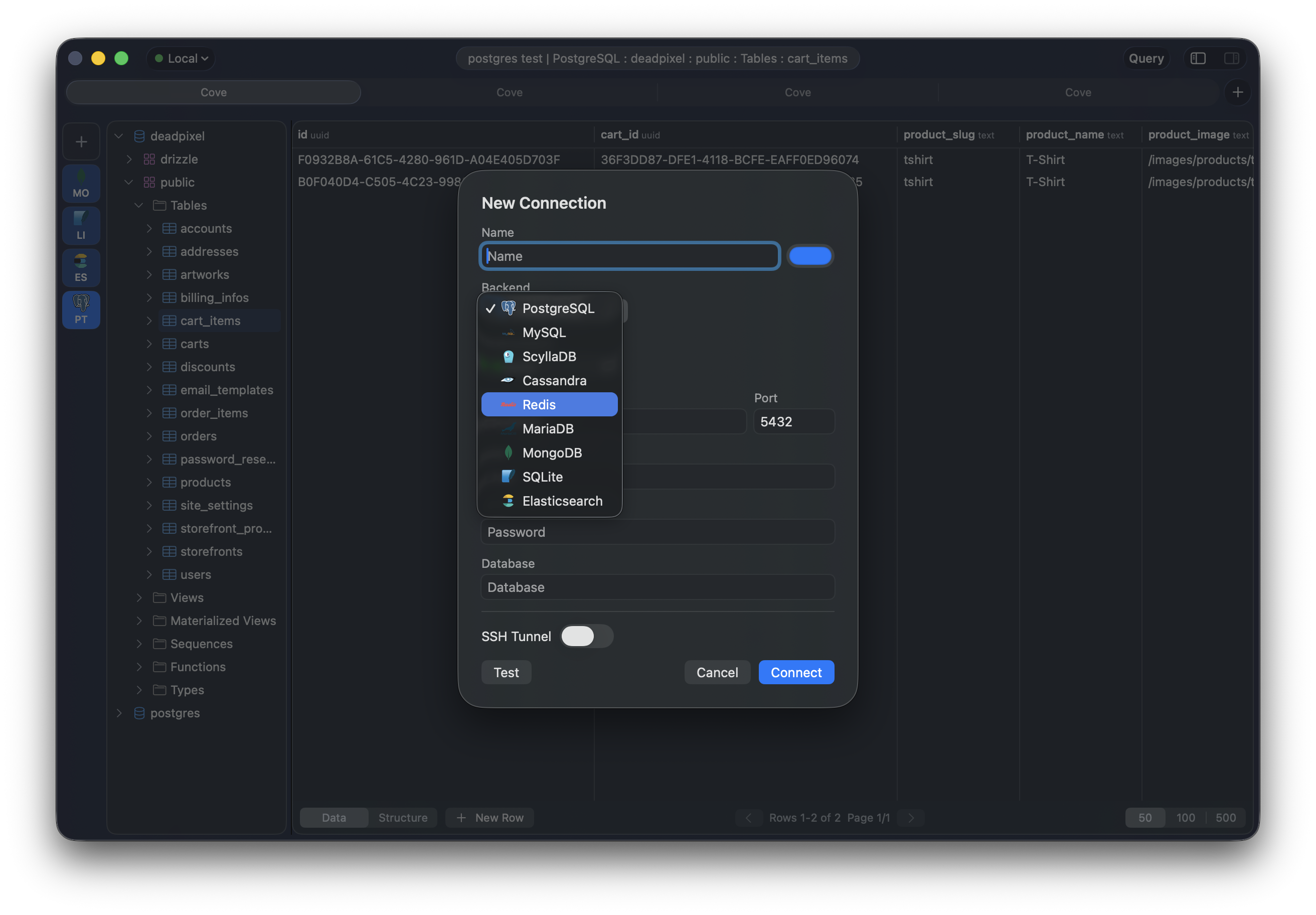
I'm releasing Cove 0.1.0, bringing the total number of supported databases from three to nine. MySQL, MariaDB, SQLite, MongoDB, Cassandra, and Elasticsearch join the original PostgreSQL, ScyllaDB, and Redis backends. This release also adds multiple tabs, connection environments, and encrypted credential storage.
The DatabaseBackend protocol from 0.0.0 made this straightforward — six new backends, roughly 5,000 new lines of Swift, zero changes to the UI layer.
The six new backends cover the databases I kept reaching for after the initial release:
MySQL and MariaDB connect via mysql-nio and mysql-kit. Both support multi-database browsing — the hierarchy shows all databases on the server, each with its own tables, views, indexes, and triggers. MariaDB shares the wire protocol but gets its own backend with MariaDB-specific keywords and behavior. TLS fallback is handled automatically.
SQLite is the only backend that doesn't need a server. Point it at a .db file and Cove opens it directly, no configuration beyond the file path. It uses the system SQLite library through a lightweight Swift wrapper — no external dependencies. The hierarchy maps tables, views, indexes, and triggers from the sqlite_master table.
MongoDB speaks the MongoDB wire protocol via MongoSwift. Instead of SQL, the query editor accepts shell-style commands (find, insertOne, aggregate). Since MongoDB is schemaless, Cove samples documents from each collection and builds a merged column set to display in the data table. The hierarchy lists databases, collections, and inferred fields.
Cassandra reuses the same swift-cassandra-client driver as ScyllaDB but with its own keyword set and hierarchy tuned for Cassandra's replication model. If you already had ScyllaDB working, Cassandra is essentially free — the CQL protocol is the same, but keeping them separate means the autocomplete and highlighter are accurate for each.
Elasticsearch operates differently from the other backends — no SQL, no tables, just indexes and REST-style queries. The query editor accepts JSON bodies that get sent as Elasticsearch search requests. The hierarchy discovers indexes and maps their field mappings into the familiar tree structure. It connects over HTTP via async-http-client, so it works with any Elasticsearch-compatible API including OpenSearch.
The DatabaseBackend protocol didn't need a single change to accommodate any of these. Each backend implements the same ~20 methods — hierarchy browsing, data fetching, query execution, inline editing, SQL/command generation, and autocomplete keywords — and the UI treats them all identically.
Cove now supports multiple independent tabs, each with its own connection, query editor, and data view. Cmd+T opens a new tab, Cmd+W closes the current one. Each tab maintains its own session state — the selected tree node, the query text, pagination position — so switching between tabs picks up exactly where you left off.

Sessions are persisted per tab across app relaunches. Close Cove with three tabs open, relaunch it, and all three restore their previous state including the active connection and last query.
Every connection is now tagged with an environment: Production, Staging, Development, or Local. The toolbar displays a colored indicator matching the active environment, so there's a constant visual reminder of where you're pointing. You can filter the connection rail by environment to keep things uncluttered.

When switching between a local database and a production replica throughout the day, the colored indicator catches mistakes before they happen.
Passwords are no longer stored alongside connection configurations. Database passwords, SSH passwords, and SSH key passphrases are encrypted with AES-256-GCM via CryptoKit and stored in a separate .secrets file. The symmetric key is generated once and saved with restricted permissions (0600). The JSON config files in ~/Library/Application Support/Cove/ contain only non-sensitive fields.
Notable fixes in this release:
Download the DMG or ZIP from the GitHub release, or build from source:
git clone https://github.com/emanuele-em/cove.git
cd cove
xcodebuild -scheme Cove -derivedDataPath .build build
open .build/Build/Products/Debug/Cove.app
Requires macOS 15 (Sequoia) or later.
Planned for upcoming releases:
Feedback and contributions are welcome on GitHub.