2026-07-22
Disclosure: this post was written with the assistance of an LLM. The release, the code, and the technical decisions behind it are my own work, and I have reviewed and edited everything below.
Proxelar 0.5.0 is out.
This release got a bit out of hand. I started with one annoyance, captures disappearing when the proxy stops, and ended up adding sessions, HAR import/export, a real filter language, content-aware body views, declarative rules, a headless API, addon packages, and four new capture modes.
A flat feature list wouldn't help much, so this post follows a workflow instead: get traffic into Proxelar, find the exchange you care about, understand the body, change or replay it, and keep the result for later.
The most obvious missing piece was persistence. Until now, closing Proxelar meant losing the session.
You can now save the complete capture when Proxelar shuts down cleanly:
proxelar --save-session checkout-debug.proxelar.jsonPress Ctrl+C when you're done. The file contains completed HTTP flows, WebSocket connections and frames, observed raw TCP chunks, DNS exchanges, UDP datagrams, stable flow IDs, and body-truncation metadata.
Load it on the next run:
proxelar \
  --load-session checkout-debug.proxelar.json \
  --save-session checkout-debug-continued.proxelar.json
The old flows appear immediately, and new traffic is appended to the same in-memory session. This is what I wanted when a bug takes three attempts to reproduce and you don't want three unrelated screenshots pretending to be one timeline.
The native format is versioned JSON, and I kept it readable on purpose. It's large, but you can inspect it, diff it, or write a small conversion tool without depending on an opaque database.
One thing to watch: native sessions are not redacted. They preserve the capture exactly, so they can contain cookies, authorization headers, tokens, and request bodies. Treat them like credentials and don't commit them.
The native format is the best representation of a Proxelar session, but it's not always the format you need. 0.5.0 can import HAR and export three interoperable forms:
proxelar \
  --import-har browser-capture.har \
  --export-har cleaned.har \
  --export-curl replay.sh \
  --export-raw raw-flows/
HAR carries HTTP requests and responses. The curl export writes one command per request. Raw export writes request/response file pairs while preserving repeated headers instead of flattening them into a map.
Common secrets are redacted from these exports by default:
Authorization and Proxy-AuthorizationCookie and Set-CookieYou can opt out with --export-secrets, and the flag is loud about it on purpose. Exported captures have a way of ending up in issue trackers, chat messages, and temporary repositories, so redaction is the safer default.
HAR can't represent everything in a native session. Raw TCP chunks, DNS/UDP data, and some WebSocket metadata stay native-only. In practice I use HAR when another tool needs the HTTP traffic, curl when I want a reproducible request, and the native file when I might need the full capture later.
The old column:value filter was fine for status:404. It got awkward the moment I wanted something like "POST requests that failed, except health checks".
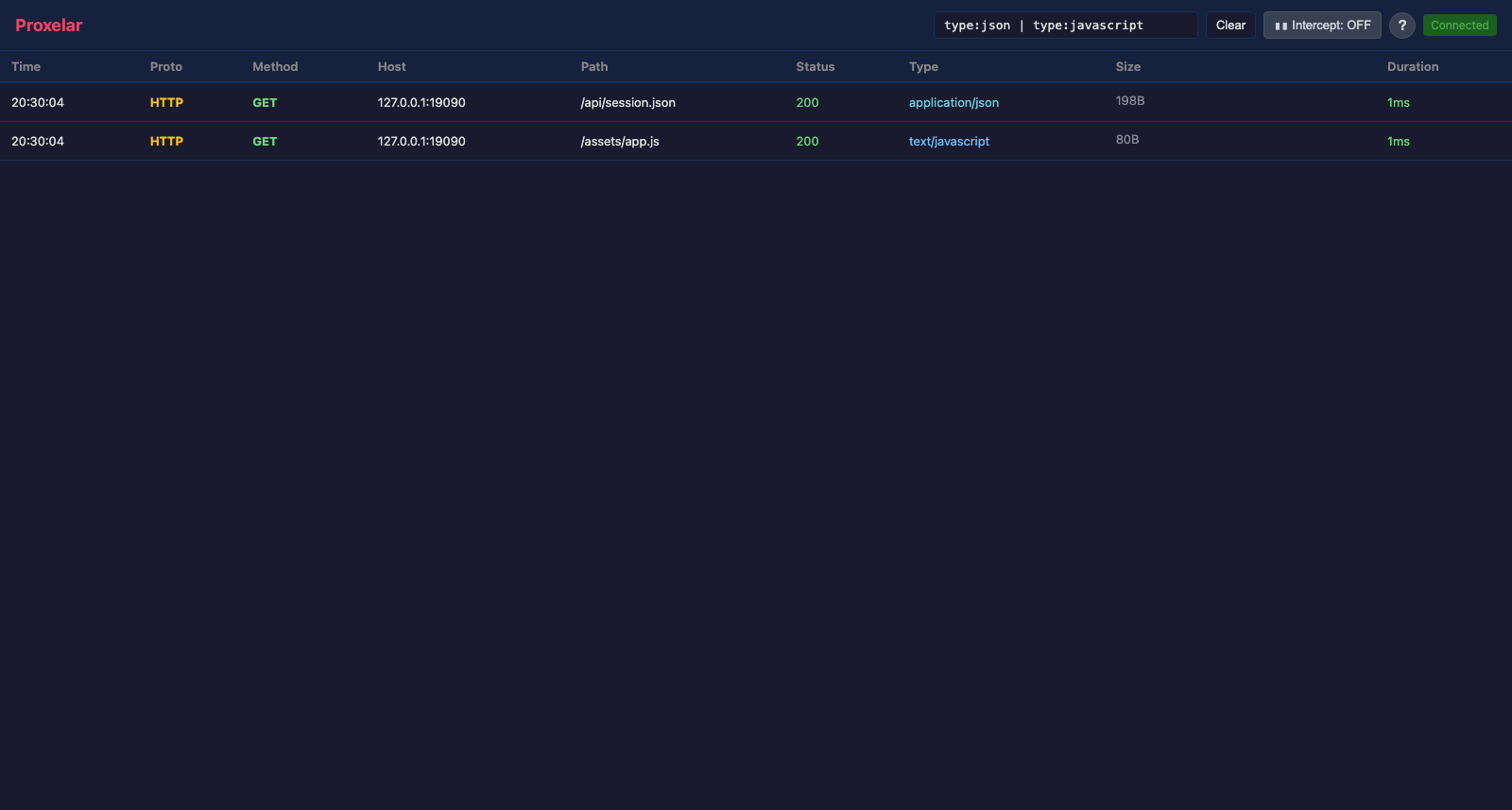
Filters now support boolean operators, parentheses, negation, and body/header matching:
method:POST & status:500
host:api.example.test & !path:/health
(status:401 | status:403) & header:authorization
type:json & response_body:error
proto:wss | proto:https
Adjacent terms are an implicit AND, so this works too:
method:POST host:api.example.test status:4The available fields are host:, method:, status:, type:, body:, header:, request_body:, and response_body:. Matching is substring-based rather than regular-expression-based, which keeps the common cases readable without much quoting.
The same parser backs the TUI, web GUI, session API, and cross-protocol match endpoint, so a filter doesn't mean one thing in the terminal and something slightly different in the browser.
Clicking a JSON response and seeing one long escaped string wasn't useful. The new content layer decodes transport and content encodings, then picks a view based on the media type.
JSON, XML, HTML, forms, multipart bodies, CSS, and JavaScript are formatted for inspection. Declared character sets are decoded. gzip, Brotli, zstd, and deflate bodies are decompressed before display. Safe raster images can render directly in the web interface.
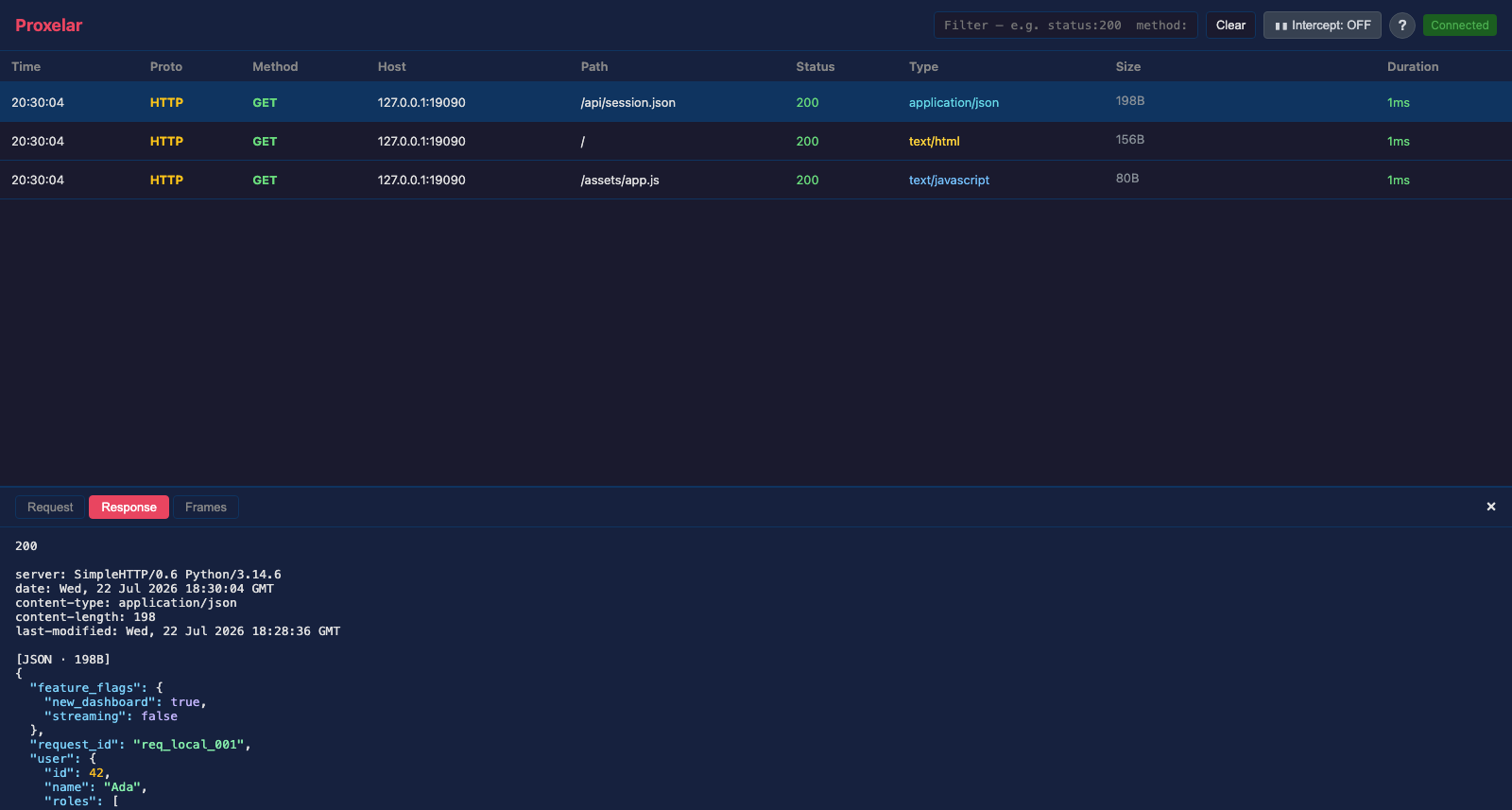
Binary data stays binary. Invalid UTF-8 request bodies open as hexadecimal bytes instead of being mangled through a replacement-character string. Protobuf messages can be viewed and edited as wire fields without a schema, and JSON-shaped MessagePack values get a structured editor.
There are limits. Protobuf without a schema gives you field numbers, not meaningful names. Multipart is split into readable parts, but it isn't a full structured multipart editor. A body capped by --body-capture-limit is marked as truncated and can't be reconstructed from the captured prefix.
When an intercepted or replayed body changes, Proxelar drops stale transfer/content encodings and recalculates Content-Length. That sounds minor, but an editor that leaves Content-Encoding: gzip on a plain JSON body creates bugs that look nothing like the edit you just made.
Lua is still the flexible option, but I kept writing tiny scripts for jobs that are really configuration: map this asset directory, point this API prefix at localhost, return a fixed health response.
Two common mappings can now live on the command line:
proxelar \
  --map-local 'https://app.test/assets/=./fixtures/assets' \
  --map-remote 'https://api.test/v1/=http://127.0.0.1:3000/'
For anything more involved, use a JSON rules file:
{
  "rules": [
    {
      "action": "set_request_header",
      "url_prefix": "https://api.test/",
      "name": "x-debug-client",
      "value": "proxelar"
    },
    {
      "action": "mock",
      "url_prefix": "https://api.test/health",
      "method": "GET",
      "status": 200,
      "headers": [{ "name": "content-type", "value": "application/json" }],
      "body": "{\"ok\":true}"
    }
  ]
}
proxelar --rules rules.jsonRules run in file order. Header changes can accumulate; the first matching rule that creates a response wins. The available actions are map_local, map_remote, redirect, mock, set_request_header, and remove_request_header.
Map-local paths are constrained to the configured directory, and ../ traversal and symlink escapes are rejected. A development convenience shouldn't turn into a file server for the rest of your machine.
Roughly: rules for static routing, Lua when the decision needs code, interactive intercept when it's one request.
The web interface already needed a server for live events and commands, so 0.5.0 exposes the useful parts as a documented JSON API:
export PROXELAR_TOKEN='local-development-token'

proxelar -i api --api-token "$PROXELAR_TOKEN"
Every request needs a bearer token:
curl \
  -H "Authorization: Bearer $PROXELAR_TOKEN" \
  'http://127.0.0.1:8081/api/v1/flows?filter=method:POST%20%26%20status:500'
The API can read the session, query flows, fetch decoded content views, replay requests, clear traffic, toggle intercept mode, and resolve pending intercepts with forward/drop/modify decisions. Binary modified bodies can be sent as byte arrays, and headers can be represented as an ordered list when duplicate order matters. Shell scripts and local test harnesses become straightforward, which is what I was after.
It's still a local developer API. There are no user accounts, TLS termination, rate limits, or multi-tenant permissions. Keep it on loopback, and if it has to cross a network, put it behind an authenticated TLS tunnel and treat the token as a credential.
The browser GUI uses a separate login token. Proxelar opens a URL with the token in the fragment, exchanges it for an HttpOnly, SameSite=Strict cookie, and removes the fragment from browser history. The API token isn't embedded in the downloadable JavaScript.
Forward and reverse proxy modes are still the normal choices, but some clients can't be configured with an HTTP proxy at all. 0.5.0 adds four narrower capture modes for those cases.
proxelar -m socks5 -p 1080

curl --socks5-hostname 127.0.0.1:1080 http://example.com/
The SOCKS5 listener accepts IPv4, IPv6, and domain CONNECT targets. HTTP is inspected, TLS goes through the normal local-CA flow, and unknown protocols are recorded as directional raw TCP chunks. There's no SOCKS authentication yet, so bind it to loopback.
proxelar -m dns -p 5353 \
  --dns-upstream 1.1.1.1:53 \
  --dns-map api.example.test=127.0.0.1
DNS mode records UDP queries and responses, forwards normal lookups to the configured resolver, and can synthesize A/AAAA answers. I use it to point a real client at a local API without touching the client's hostname configuration. It's plain UDP DNS, not DNS-over-HTTPS.
proxelar -m udp -p 9001 --target upstream.example:9000This mode forwards each incoming datagram to one known upstream and records both directions. It's request/response-oriented by design: one target, at most one response per request, and a five-second no-response result. Good for small known UDP protocols, not a general UDP router.
This is the mode I'm happiest with. If an app has no proxy setting but can use a VPN profile, nothing else in Proxelar could reach it before.
proxelar -m wireguard -b 0.0.0.0 -p 51820 \
  --wireguard-endpoint 192.168.1.10:51820
On first start, Proxelar writes an owner-only client configuration to ~/.proxelar/proxelar-wg.conf. The empty TUI and authenticated web GUI show the same profile as a QR code, and terminal mode prints it at startup. Scan it from the WireGuard app or import the file directly. The QR disappears from the interactive interfaces after the first captured event.
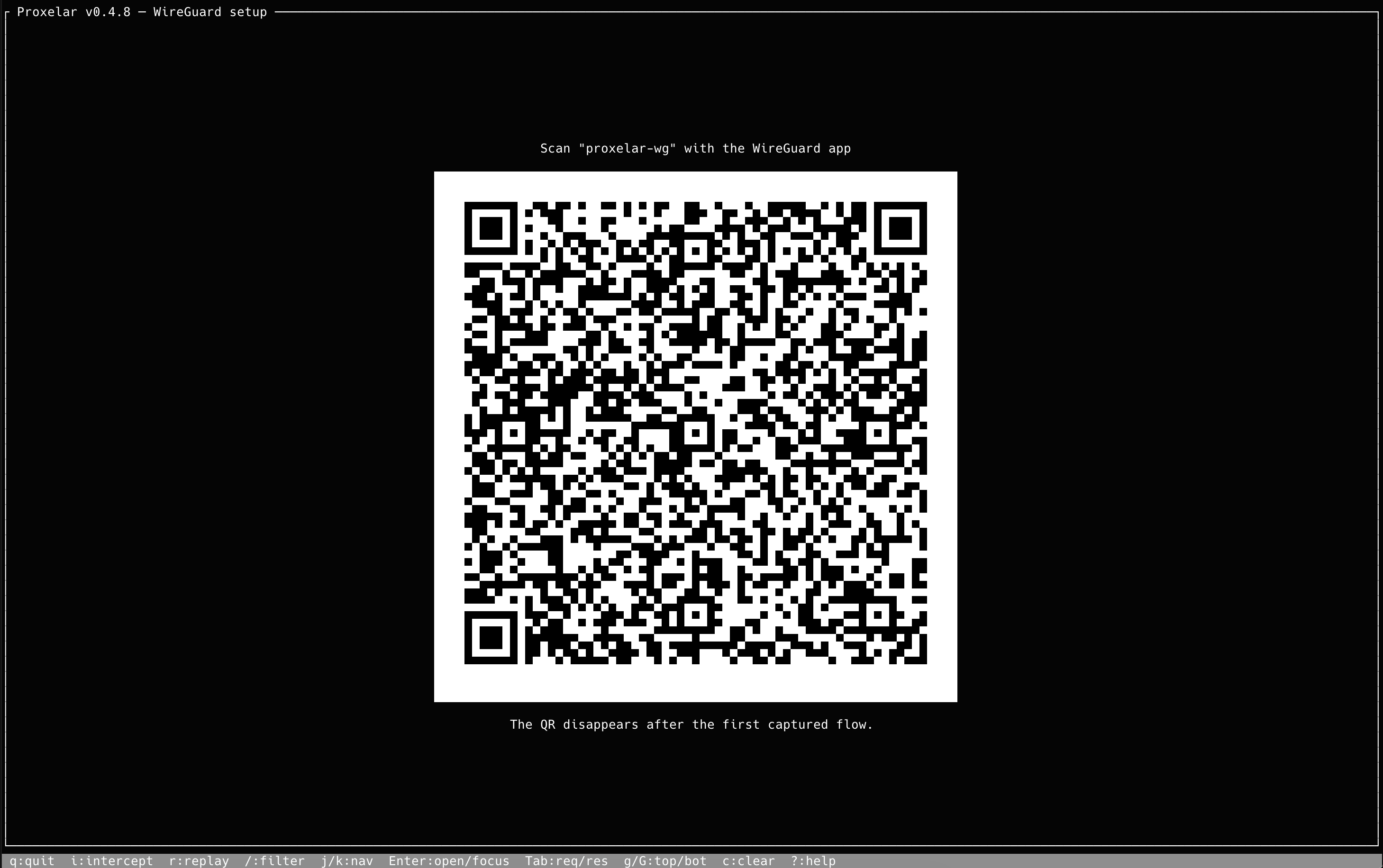
The proxelar-wg name has to be short because Android caps WireGuard interface names at 15 characters. The QR contains the client private key, so only show it on a trusted screen.
TCP is reconstructed in userspace and then follows the normal HTTP, TLS, WebSocket, or raw-stream paths. Port 53 uses the DNS configuration and overrides described above. For now it generates one client identity per CA directory, UDP forwarding is still aimed at request/response traffic, and QUIC/HTTP/3 interception isn't supported.
Outbound connections can go through an HTTP CONNECT or SOCKS5 proxy:
proxelar --upstream-proxy http://proxy.example:8080
proxelar --upstream-proxy socks5://127.0.0.1:9050
proxelar --upstream-proxy http://proxy.example:8080 \
  --upstream-proxy-auth 'user:password'
Chaining applies to ordinary forwarding, reverse mode, and replay. Credentials passed on the command line may be visible to local process inspection, so use a dedicated low-privilege account rather than your important password.
Loose --script files are still the fastest way to iterate. They now hot-reload when the entrypoint changes, keeping the last working version if the new script has an error. WebSocket frames can also pass through an optional Lua hook for modification or dropping.
For something I want to keep or share, there's now an addon package format:
proxelar addon verify ./header-tagger
proxelar addon install ./header-tagger
proxelar addon list
proxelar --addon header-tagger
An addon has an init.lua entrypoint and a versioned proxelar-addon.json manifest. The manifest declares its version, hooks, requirements, and a SHA-256 digest for every file. Installation rejects traversal, symlinks, undeclared files, and digest mismatches before copying the package into the local catalog.
No online marketplace, no registry. It's an inspectable package boundary for Lua code you already have on disk, which is as far as I want to take it for now.
For browser-only debugging, this is the shortest path:
proxelar -i gui --launch-browserProxelar finds a Chromium-family browser and starts an isolated profile configured to use the proxy. Your normal profile, extensions, cookies, and proxy settings stay untouched, which saves you from remembering what to undo afterwards.
Some smaller changes that matter even without their own button:
proxyapi keeps #![forbid(unsafe_code)], and addons remain portable pure LuaAnd the limits worth knowing up front: HTTP/2 clients are accepted, but inspected requests are currently normalized and forwarded upstream as HTTP/1.1. HTTP/3 isn't intercepted. Certificate-pinned applications will reject the generated certificates, and Android applications have to explicitly trust user-installed CAs. I'd rather write those down than hide them behind a "supports HTTPS" bullet.
Install or update Proxelar:
brew upgrade proxelar
# or
cargo install proxelar
For a quick browser session with persistence:
proxelar -i gui --launch-browser \
  --save-session debug.proxelar.json \
  --export-har debug.har
For a quick SOCKS test:
proxelar -i gui -m socks5 -p 1080
curl --socks5-hostname 127.0.0.1:1080 http://example.com/
For a local API with a static mock:
proxelar -m reverse \
  --target http://127.0.0.1:3000 \
  --rules rules.json \
  --save-session local-api.proxelar.json
The full documentation is at proxelar.micheletti.io, and the complete changelog is on GitHub.
I'd start with sessions and the filter language. They're the least dramatic features in the release, and they're the ones that changed my day-to-day use the most. Capture something once, narrow it down without scrolling through 500 rows, and keep the useful part for tomorrow.