2026-04-11
Proxelar 0.4.2 is out.
Two things in this release. WebSocket connections are now fully inspectable — frames, directions, payloads, all of it. And the TUI filter bar learned column:value syntax so you can stop searching through everything just to find your 404s.
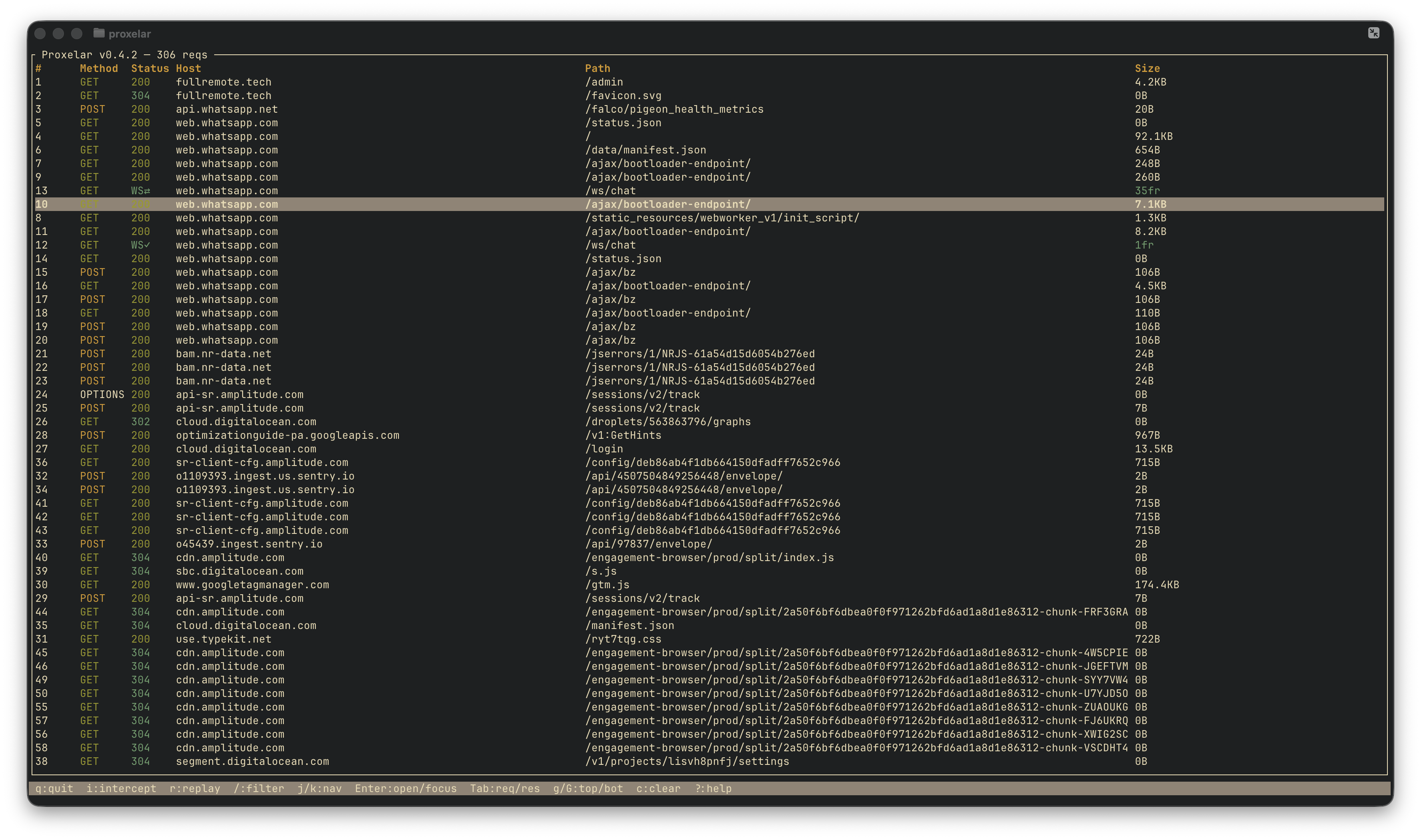
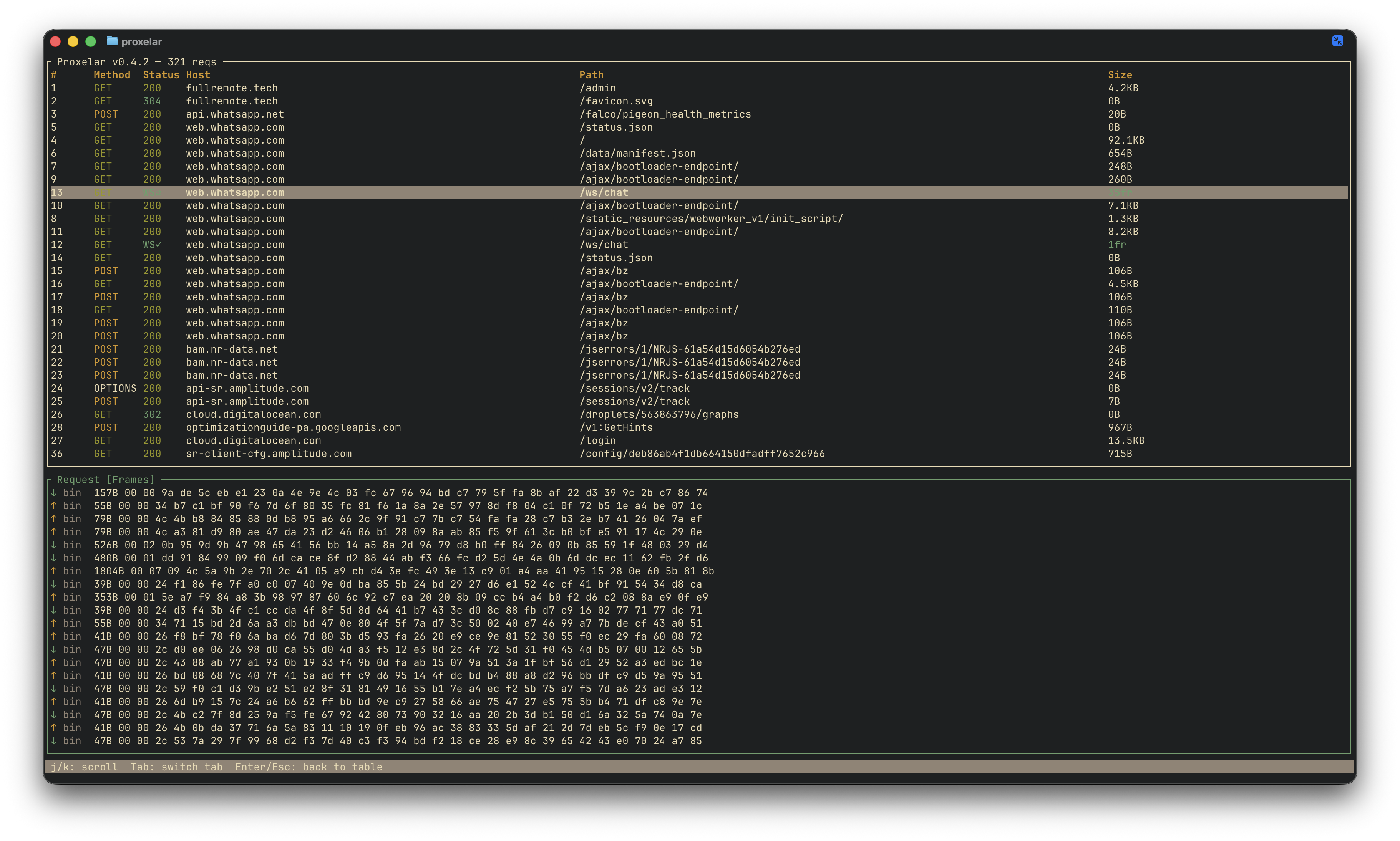
Until now, Proxelar captured the WebSocket upgrade handshake — a normal HTTP request — but had no visibility into the frames flowing over the open connection. Starting with 0.4.2, Proxelar proxies WebSocket connections the same way it does HTTPS — transparently, without the client knowing. The upgrade handshake appears as a normal row. A live connection shows WS⇄ in the status column; once it closes, it shows WS✓. The size column counts frames instead of bytes.
The detail panel for a WebSocket row has a Frames tab. Each entry shows direction (↑ client→server, ↓ server→client), opcode, size in bytes, and a payload preview — text as characters, binary as hex. The list tails the connection live; scrolling up pauses follow mode.
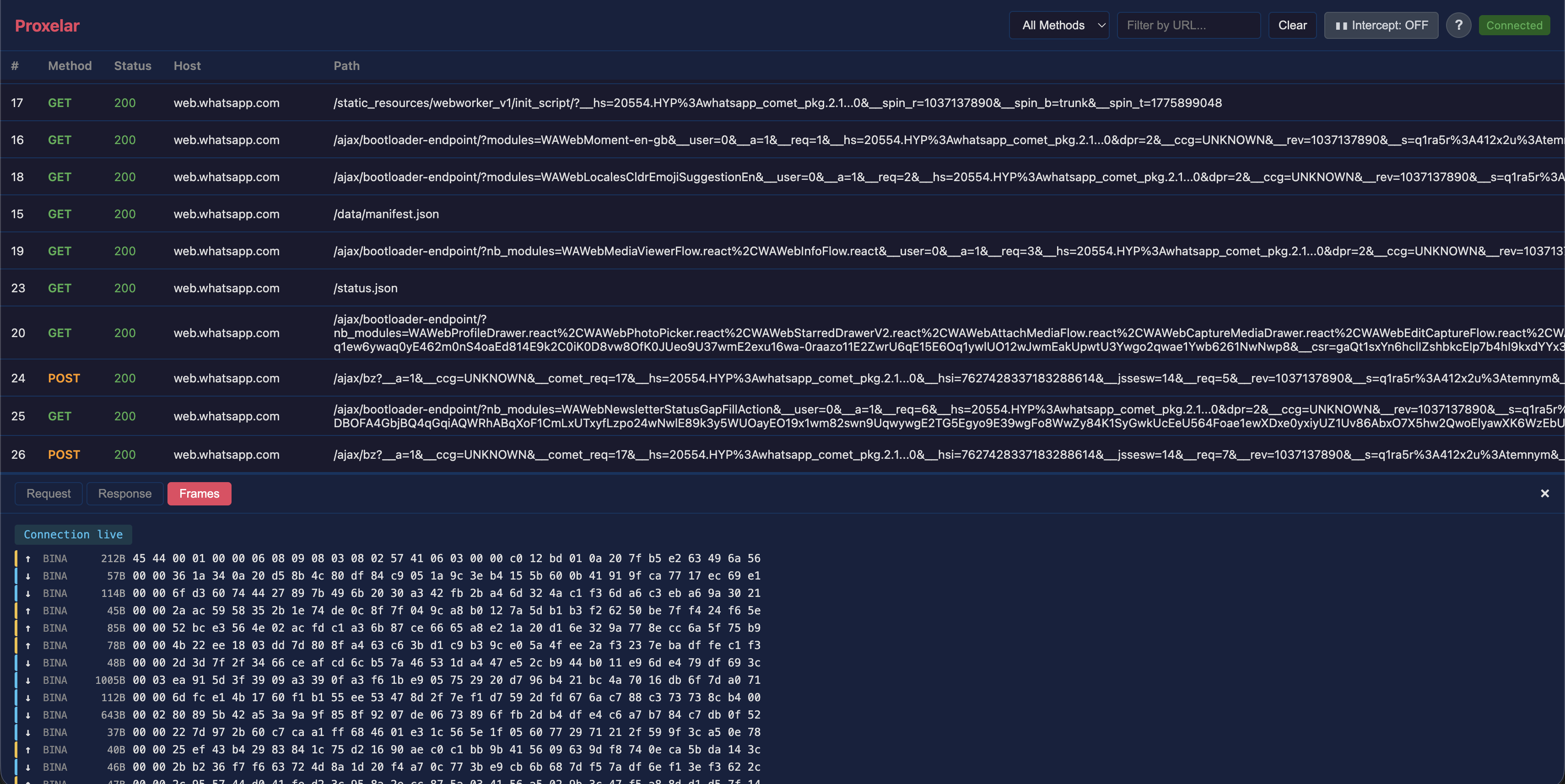
The web GUI works the same way. WebSocket rows appear in the table; clicking one replaces the Request/Response tabs with a Frames tab, and new frames append to the bottom live as they arrive. A badge at the top of the panel shows whether the connection is still open.
A concrete scenario where this saves time: your app has a real-time notification system that occasionally drops messages. You suspect the server is sending frames faster than the client is processing them, or maybe there's a malformed payload somewhere. Point the app at Proxelar, reproduce the bug, and look at the Frames tab. You can see exactly which frame arrived when, in which direction, and what it contained — without touching the application code.
One implementation detail worth knowing: proxying WebSocket frames correctly requires the proxy to speak both sides of the protocol at once. Toward the client it acts as a WebSocket server (client frames are masked, server frames are unmasked). Toward the upstream it acts as a WebSocket client (the opposite). The frame relay runs in a select! loop, emitting a WebSocketFrame event for each frame before forwarding it. wss:// connections go through the same HTTPS MITM as regular HTTPS, so you don't need to do anything extra once the CA certificate is installed.
Once a traffic capture session gets long — a few hundred requests — the filter bar starts to feel blunt. Searching for 200 matches URLs, methods, and hosts that happen to contain that string, not just status codes. Searching for github might pull in requests you didn't want because the path mentions it somewhere.
The TUI filter now accepts column:value syntax. Press /, type status:4, press Enter. You get only 4xx responses, regardless of what else the rows contain.
status:404      only 404s
status:4        all 4xx
method:POST     POST requests only
host:github     requests to github hosts
path:/api/v2    requests to that path prefix
size:1.5        responses around 1.5 KB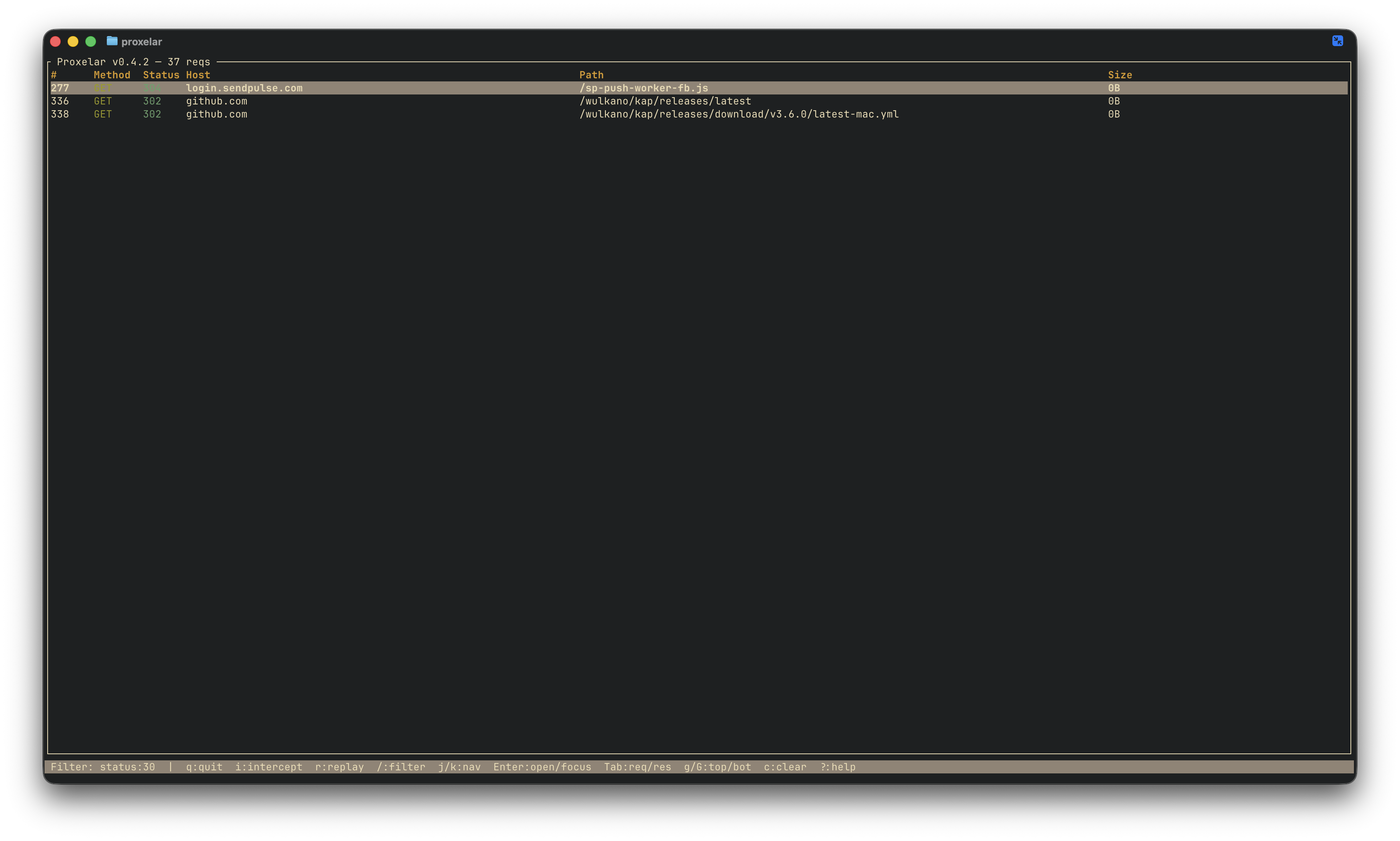
Plain text search still works exactly as before. github still matches URLs and methods containing that string. The column syntax only activates when the prefix before : is a recognised column name — everything else is a plain search, so nothing you were already doing breaks.
WebSocket rows participate in column filtering too — status:ws matches all of them.
brew upgrade proxelar
# or
cargo install proxelar
For WebSocket traffic over wss://, the CA certificate is the only prerequisite — the same one you installed for HTTPS. No extra configuration.
The full changelog is on GitHub.
WebSocket inspection was the last item on the roadmap I set in 0.3.0. The list is shorter now. What remains:
iptables or pf