2026-05-02
Cove 0.2.0 is out.
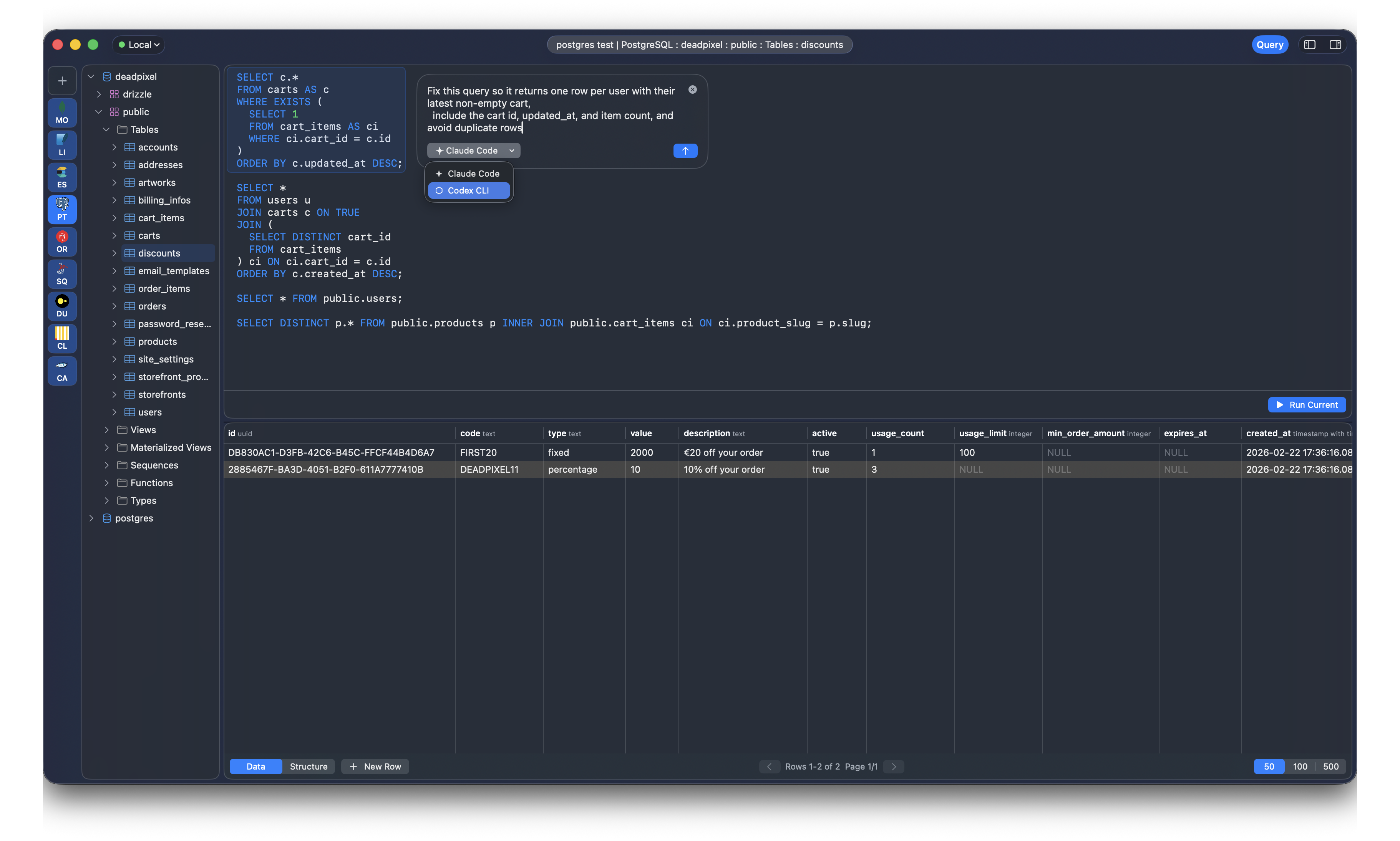
The main thing in this release is Agent Mode: Cove can now ask a local coding agent to write or edit the query you are working on. No API key screen, no provider setup, no model picker, no billing integration. If you already have claude or codex installed on your machine, Cove can use it.
That was the whole design constraint for this release. I did not want to build another settings page just to make a text box talk to an LLM. Developers already have these tools installed, logged in, configured, and paid for. Cove should just reuse them.
Press Cmd+K, or hover the current query block and click agent mode. A small prompt opens inside the editor. Ask for what you want:
show the slowest queries grouped by user for the last 24 hoursor:
change this query so it only includes failed payments
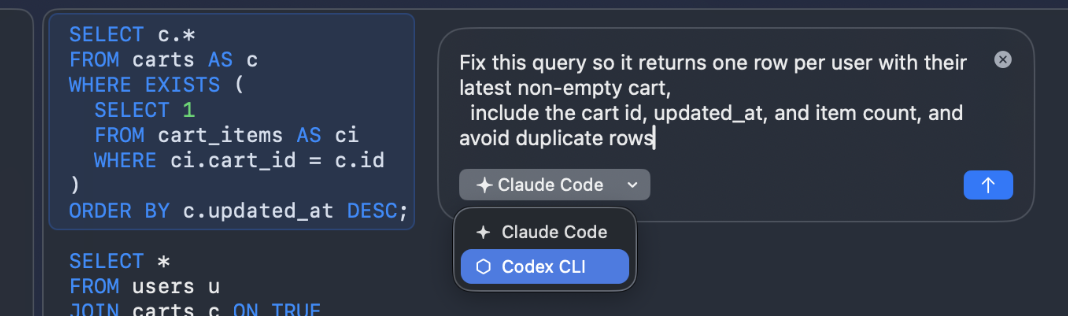
Cove sends the selected query block, the active backend, the database metadata it knows about, and your instruction to the local agent CLI. The agent returns only query text, and Cove inserts it back into the editor.
If there is already a query under the cursor, Agent Mode treats your request as an edit. If the cursor is on an empty line, it inserts a new query there. This keeps it out of the chat-app shape. You are still in the query editor, and the output is still just a query.
I want things simple.
Most technical users who want this feature already have Claude Code or Codex CLI installed. Those tools already handle auth, account state, subscriptions, model routing, rate limits, config files, and whatever else their vendors need this month. Cove does not need to duplicate any of that.
So 0.2.0 does the boring thing: it looks for claude or codex on PATH and runs the command locally.
For Claude Code, Cove uses print mode and disables tool use. For Codex CLI, Cove runs codex exec in an ephemeral, read-only workspace. The prompt goes in through stdin, the query comes back through stdout or the CLI output file, and Cove strips code fences if the model includes them anyway.
That is it. There is no Cove account. There is no Cove API key. There is no server in the middle.
The prompt is intentionally plain. The agent gets:
It does not send database passwords.
The most important rule in the prompt is also the simplest one: return only the query or command text. No Markdown, no explanation, no "here is the SQL". If the model still returns a fenced code block, Cove unwraps it.
I want this to feel like autocomplete with more context, not like a second application living inside the database client.
Asking an LLM to "write a query" without schema context is usually a coin toss. It will invent table names with full confidence, because that is what it does.
Cove already has a lot of database context loaded for autocomplete and browsing, so Agent Mode reuses that. If you have expanded public/users and public/orders in the sidebar, that tree is part of the prompt. If the backend supports completion schema, the agent also sees the real table and column names.
The prompt explicitly tells the agent not to invent database objects. This does not make it magic, but it moves the feature from "toy demo" to "actually useful for boring work".
For example, asking for:
find users who placed more than 3 orders this monthis only useful if the agent knows whether your database has users, accounts, orders, purchases, created_at, inserted_at, or whatever names you actually use. Cove now gives it that context.
The part I use more than generation is editing.
Select a query, or just put the cursor inside it, then ask:
make this return one row per customer instead of one row per orderor:
convert this Postgres query to ClickHouseor:
add a time bucket by hour and keep the same filtersThe current query block is included in the prompt, and Cove replaces that block with the result. The runnable range box stays around the edited query, so you can immediately hit Cmd+Return and run it.
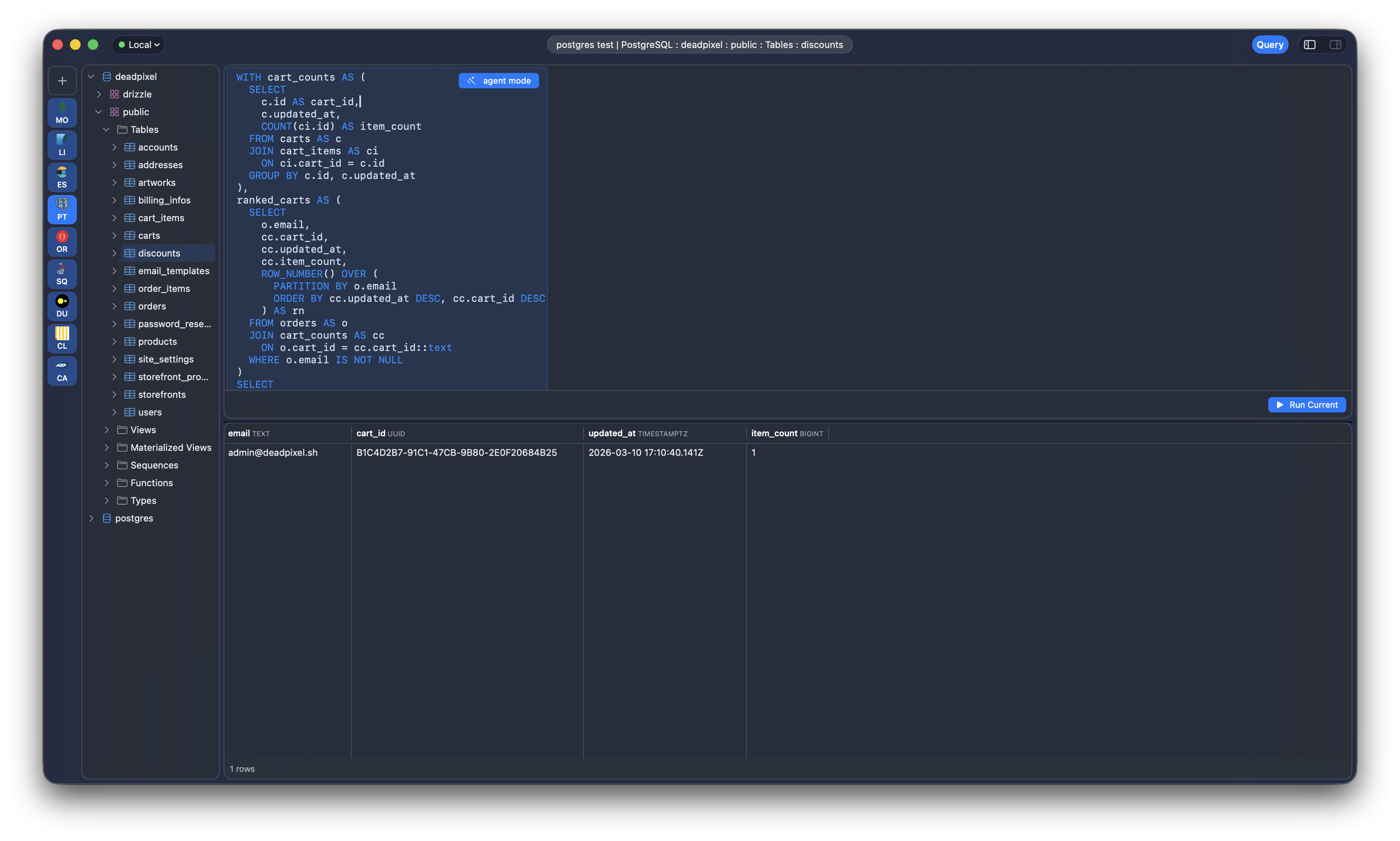
This is the interaction I wanted: keep the database client focused on the database, but let a local agent remove the annoying parts of writing SQL by hand.
Agent Mode does not execute anything automatically.
It writes text into the editor. You read it, change it if needed, then run it yourself. That is especially important in a database client, where a confident wrong query can be much worse than a compiler error.
The same idea applies to table edits. Cove already staged inline edits and showed generated SQL before saving. In 0.2.0 that review flow is tighter for query result edits too. For PostgreSQL result sets that can be traced back to a single table and include the primary key columns, Cove can infer the editable table, stage the changes, and show the generated UPDATE statements before anything hits the database.
No invisible writes. No "trust me" behavior.
Small fix, but it matters: Cove now keeps useful database error details visible instead of flattening everything into generic localized error strings.
Driver errors, especially from Postgres/NIO, often carry the useful part in their custom string representation. The human-readable server message is what you need when a query fails. Losing that and showing a vague wrapper error is just hostile.
0.2.0 preserves more of that detail in the editor and surrounding UI.
This release is deliberately small.
Right now Agent Mode supports:
claude CLIcodex CLII am going to add more agents and API-backed providers in future releases. There are valid reasons to want direct API support: reproducible model selection, team config, remote environments, non-interactive installs, and agents that do not ship as local CLIs.
But I did not want the first version to start there. The zero-settings version is the one I actually wanted to use today.
The next obvious steps:
Feedback and contributions are welcome on GitHub.